Role
Role
Role
Single Product Designer
Single Product Designer
Single Product Designer
Tools
Tools
Tools
Figma
Figma
Figma
Timeline
Timeline
Timeline
June 2025
June 2025
June 2025
Overview
Overview
Overview
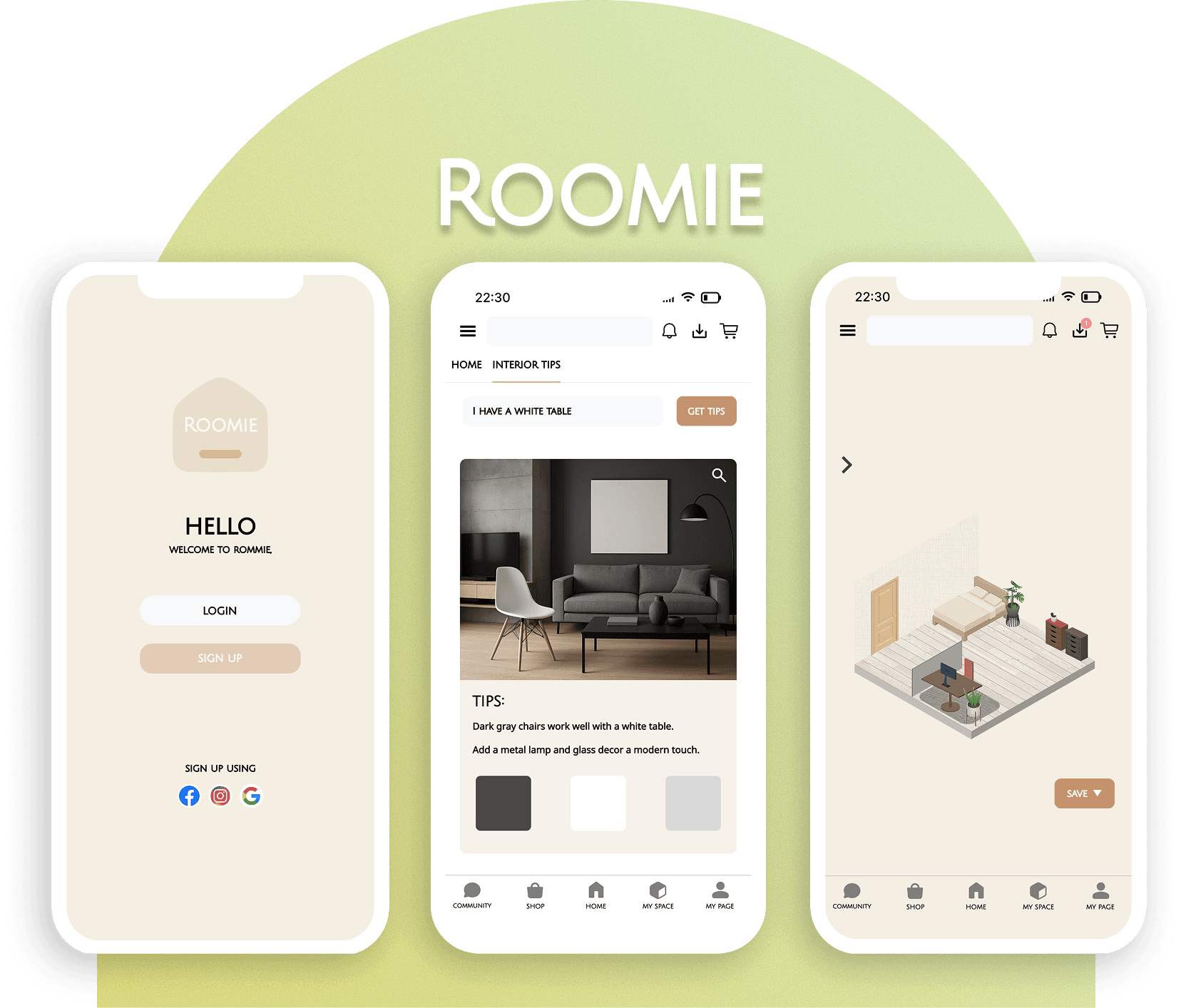
Roomie is an interior guide app designed for people in their 20s–30s.
It helps users style their rooms using existing furniture with easy and practical tips.
The app also recommends budget-friendly furniture from affordable brands.
Users can preview furniture placement through a virtual room simulation,
making interior design more accessible and fun without the need to buy first.
Roomie is an interior guide app designed for people in their 20s–30s.
It helps users style their rooms using existing furniture with easy and practical tips.
The app also recommends budget-friendly furniture from affordable brands.
Users can preview furniture placement through a virtual room simulation,
making interior design more accessible and fun without the need to buy first.
Roomie is an interior guide app designed for people in their 20s–30s.
It helps users style their rooms using existing furniture with easy and practical tips.
The app also recommends budget-friendly furniture from affordable brands.
Users can preview furniture placement through a virtual room simulation,
making interior design more accessible and fun without the need to buy first.
Target Audience
Target Audience
Target Audience

I want to decorate my room, but I don’t want to buy new furniture.
I want to decorate my room, but I don’t want to buy new furniture.
I want to decorate my room, but I don’t want to buy new furniture.
I struggle with organizing my space and don’t know where to start.
I struggle with organizing my space and don’t know where to start.
I struggle with organizing my space and don’t know where to start.

Product Overview
Product Overview
Product Overview
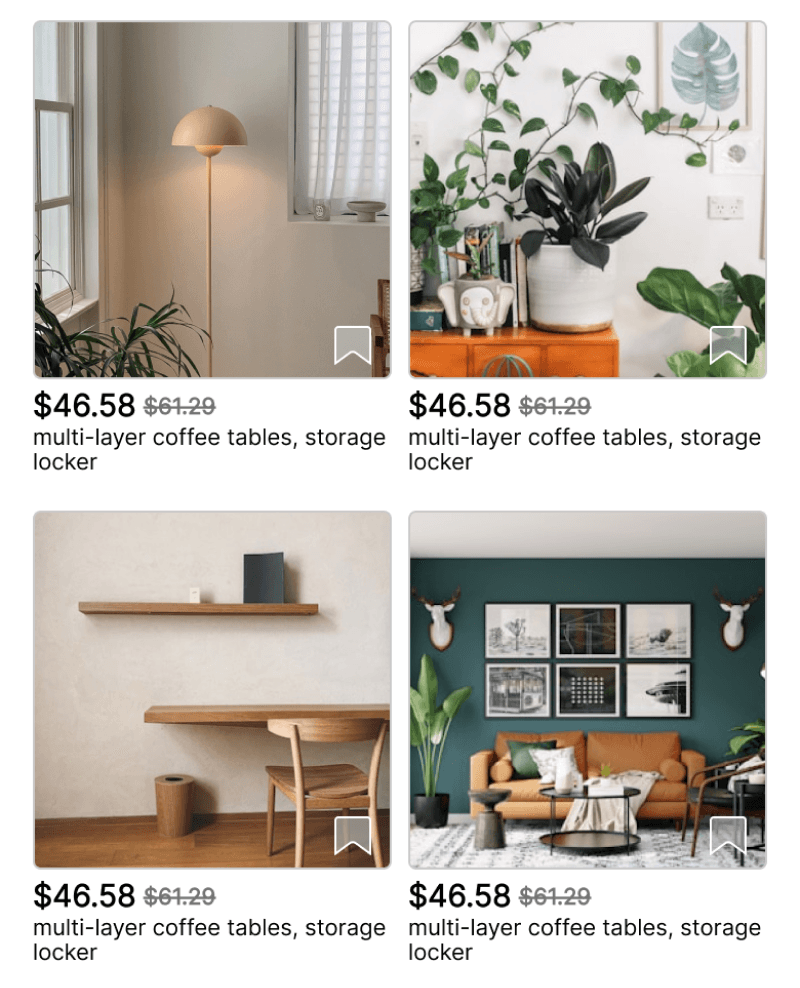
Interior Tips Using Existing Furniture
➝ Help users restyle their space using what they already own
Interior Tips Using Existing Furniture
➝ Help users restyle their space using what they already own
Interior Tips Using Existing Furniture
➝ Help users restyle their space using what they already own
Budget-Friendly Furniture Recommendations
➝ Suggest affordable items based on price range and style
Budget-Friendly Furniture Recommendations
➝ Suggest affordable items based on price range and style
Budget-Friendly Furniture Recommendations
➝ Suggest affordable items based on price range and style
Virtual Room Simulation
➝ Allow users to visualize their space before making decisions
Virtual Room Simulation
➝ Allow users to visualize their space before making decisions
Virtual Room Simulation
➝ Allow users to visualize their space before making decisions
Wireframe
Wireframe
Wireframe
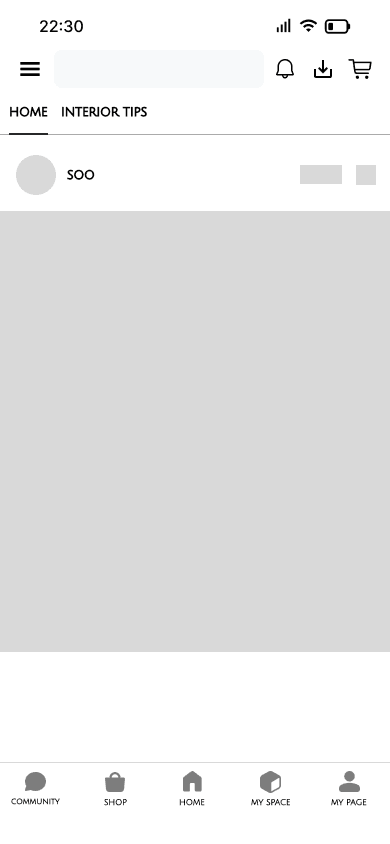
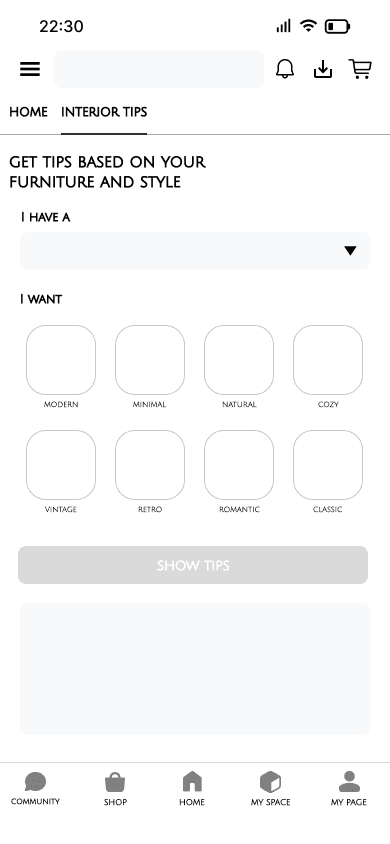
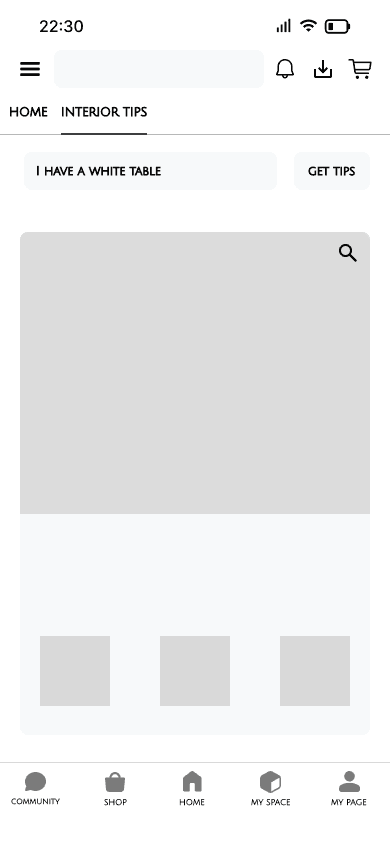
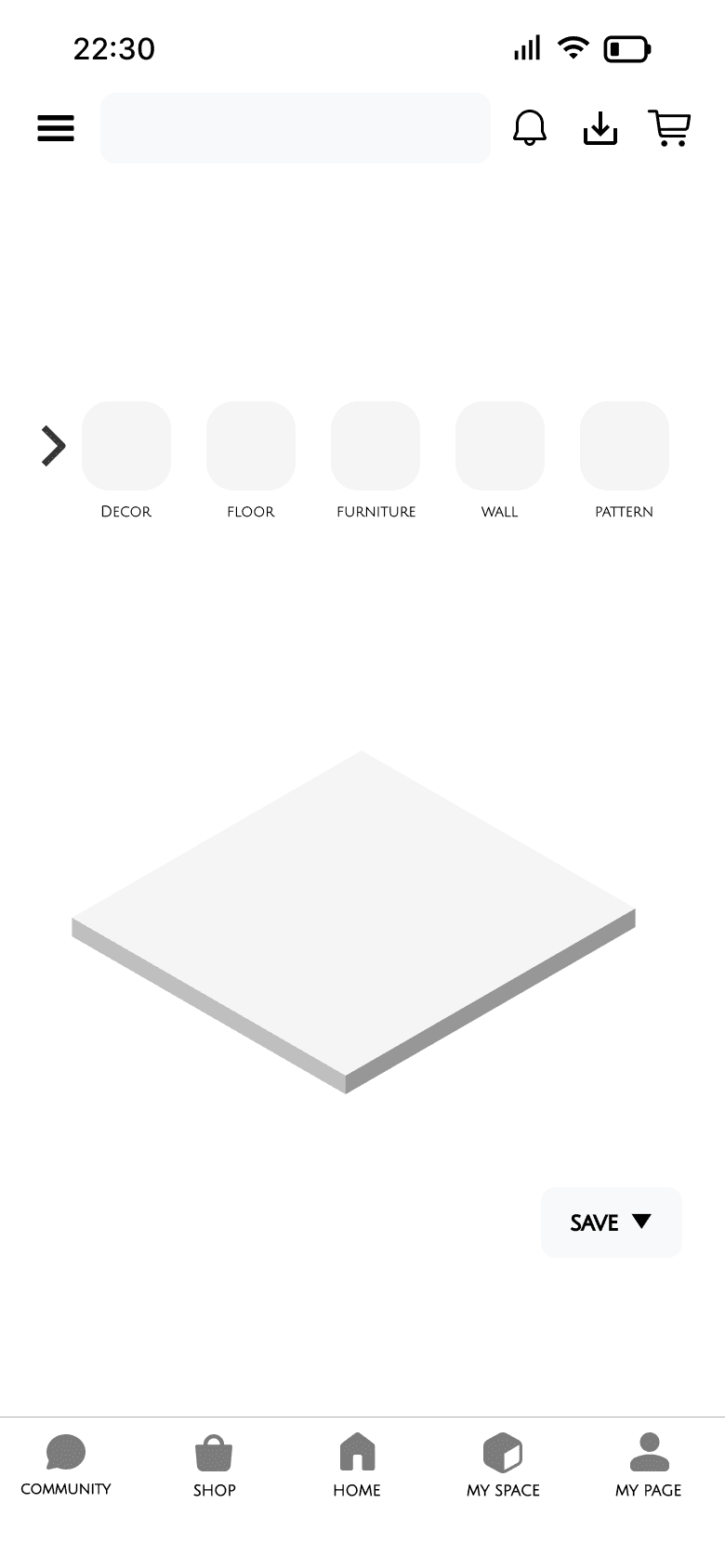
These wireframes prioritize visual exploration, contextual personalization,
and low cognitive load to create an intuitive and approachable interior styling experience.
These wireframes prioritize visual exploration, contextual personalization,
and low cognitive load to create an intuitive and approachable interior styling experience.
These wireframes prioritize visual exploration, contextual personalization,
and low cognitive load to create an intuitive and approachable interior styling experience.
Mockup Design
Mockup Design
Mockup Design
📍 Main home screen
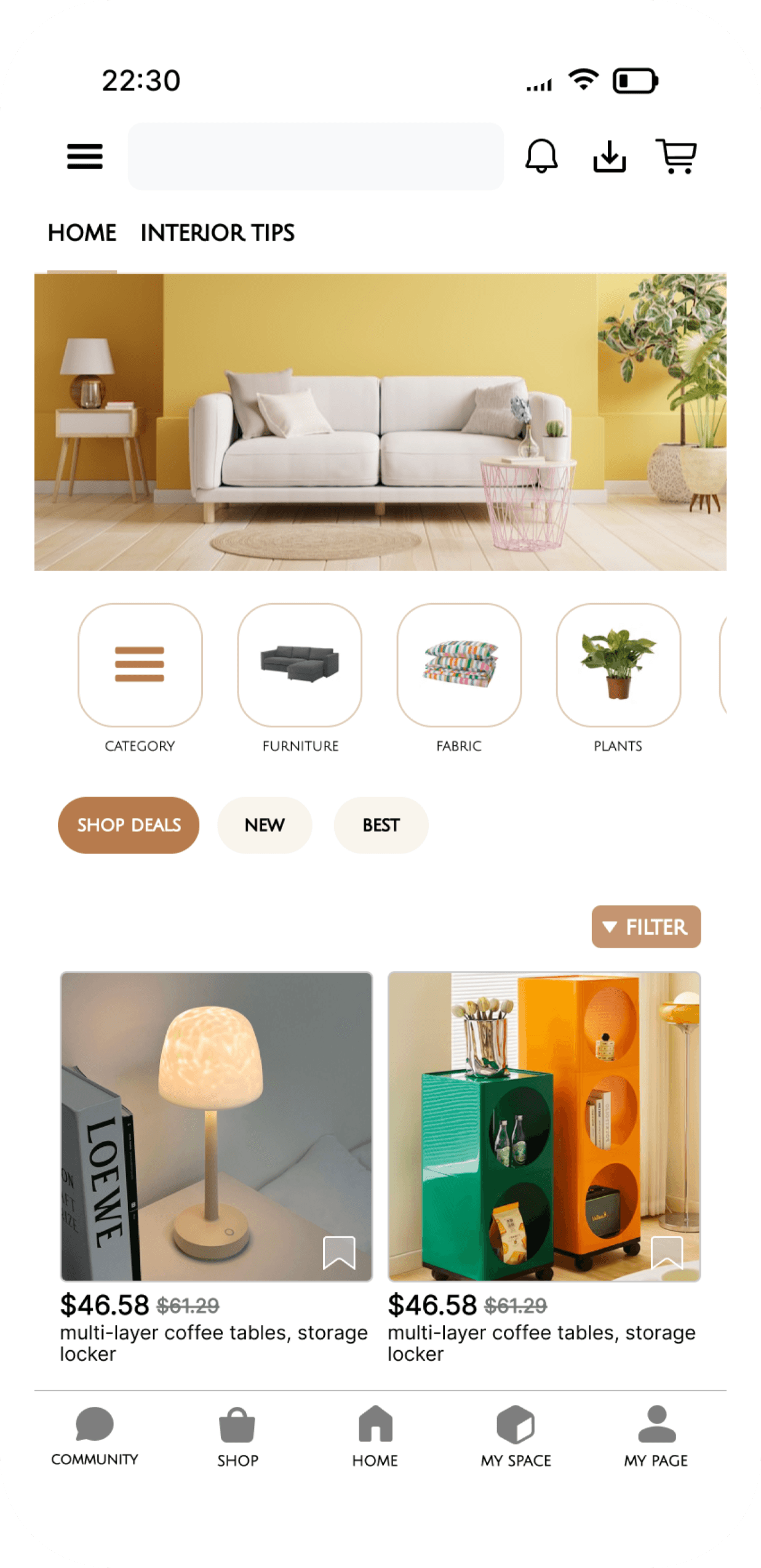
→ The home screen was designed to support both inspiration-driven browsing and goal-oriented shopping.
By combining visual-led categories with quick filters, users can effortlessly explore interior products while maintaining control over their selection criteria.
📍 Main home screen
→ The home screen was designed to support both inspiration-driven browsing and goal-oriented shopping.
By combining visual-led categories with quick filters, users can effortlessly explore interior products while maintaining control over their selection criteria.
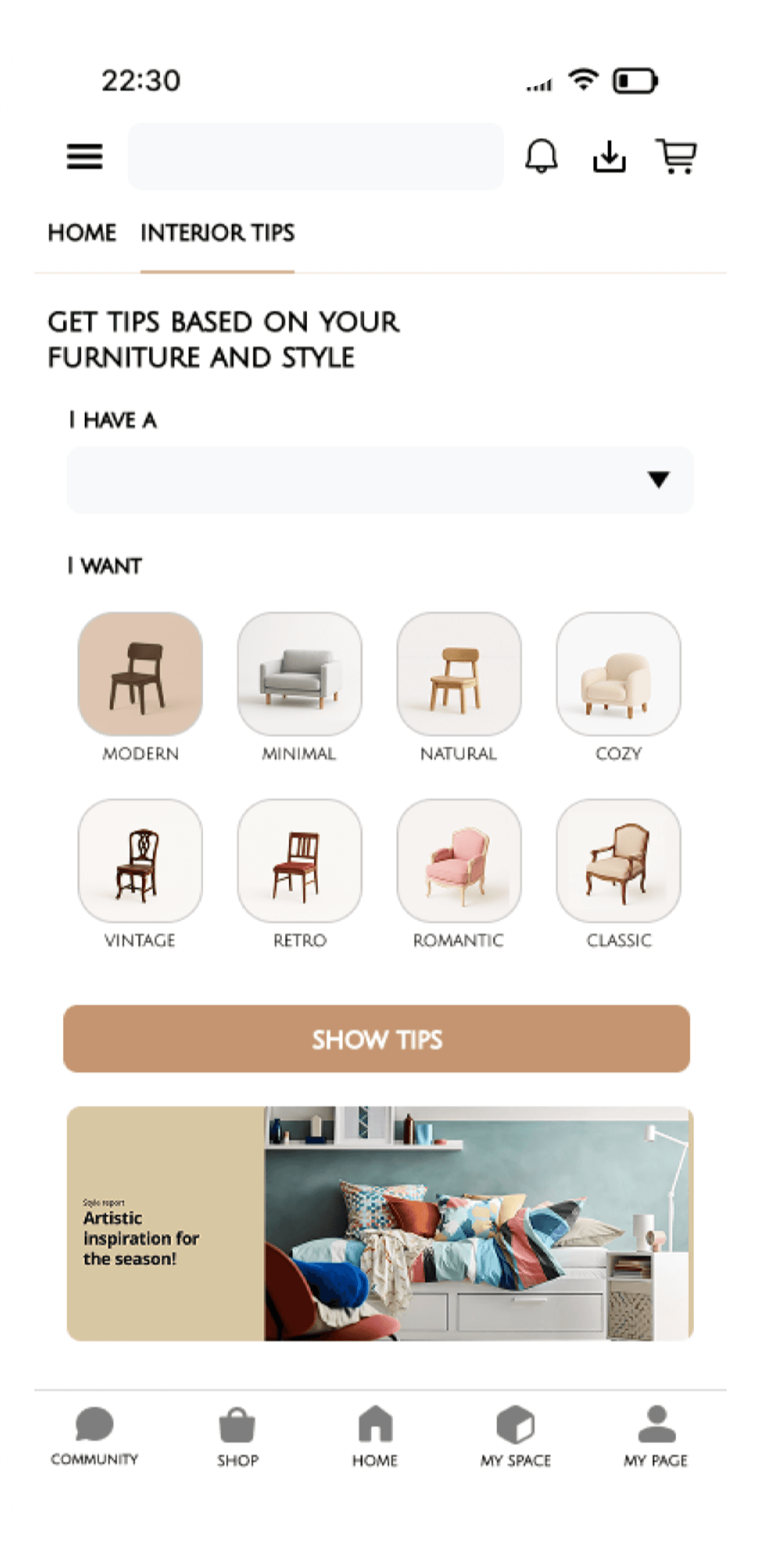
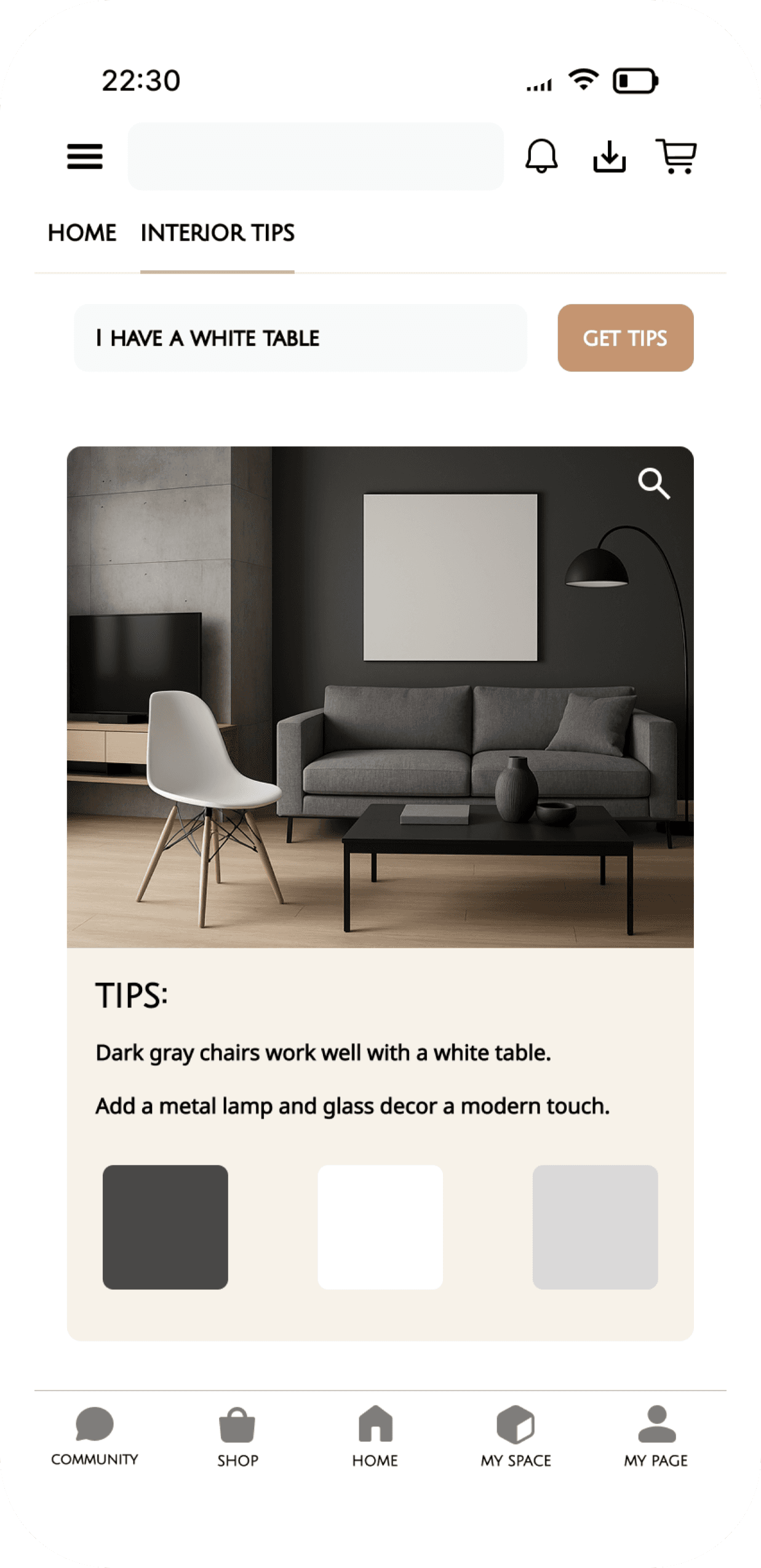
📍 Interior Tips – Preference Input
→ The result screen was designed to immediately reflect the user’s input, reinforcing a sense of personalization.
By combining visual inspiration with concise, actionable tips, the experience bridges inspiration and real-world application.
📍 Interior Tips – Preference Input
→ The result screen was designed to immediately reflect the user’s input, reinforcing a sense of personalization.
By combining visual inspiration with concise, actionable tips, the experience bridges inspiration and real-world application.
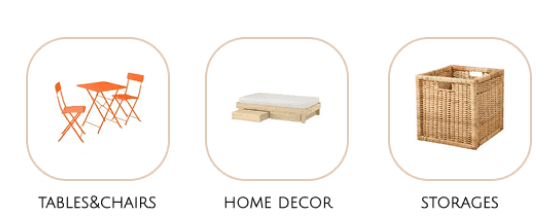
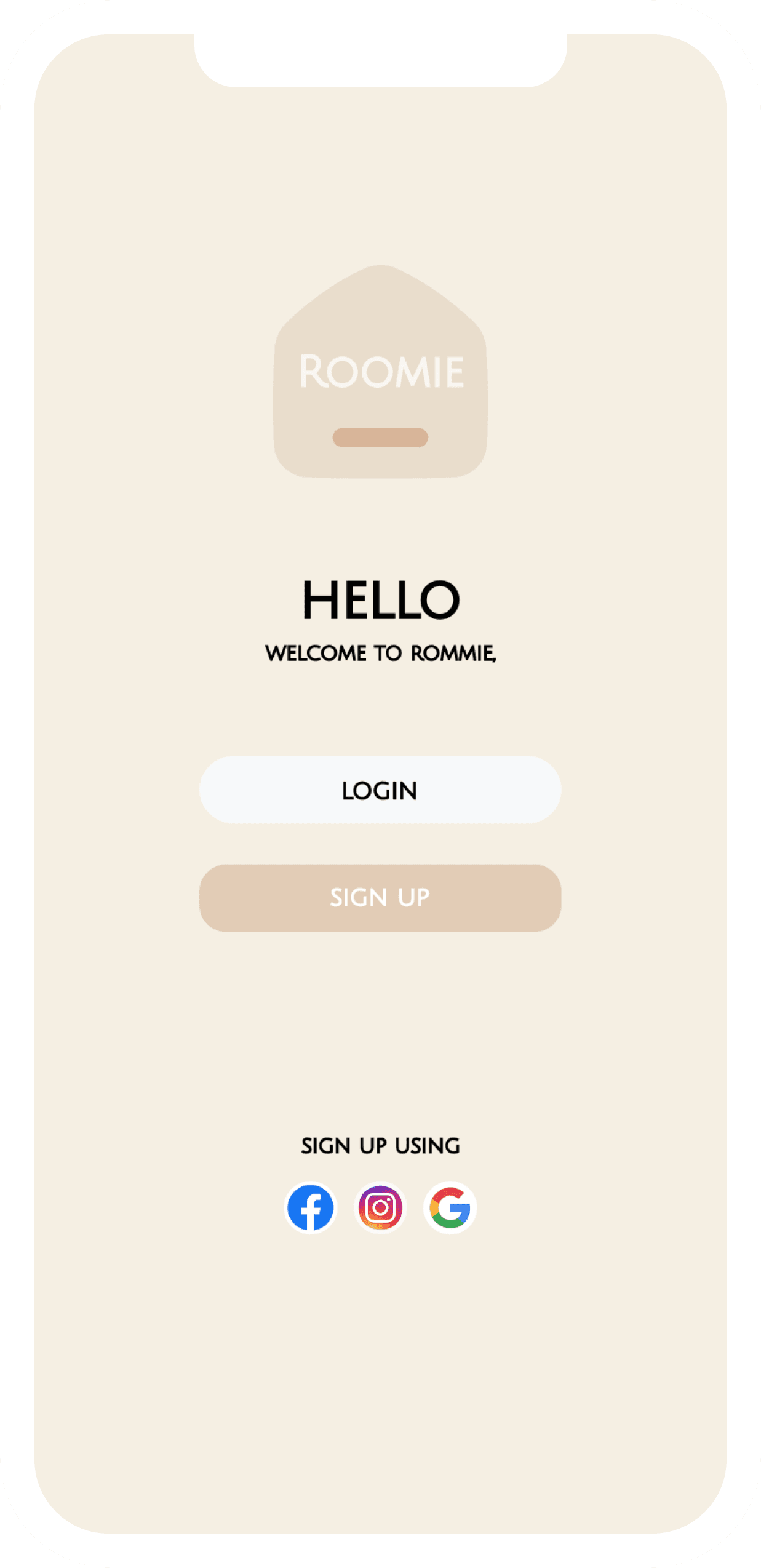
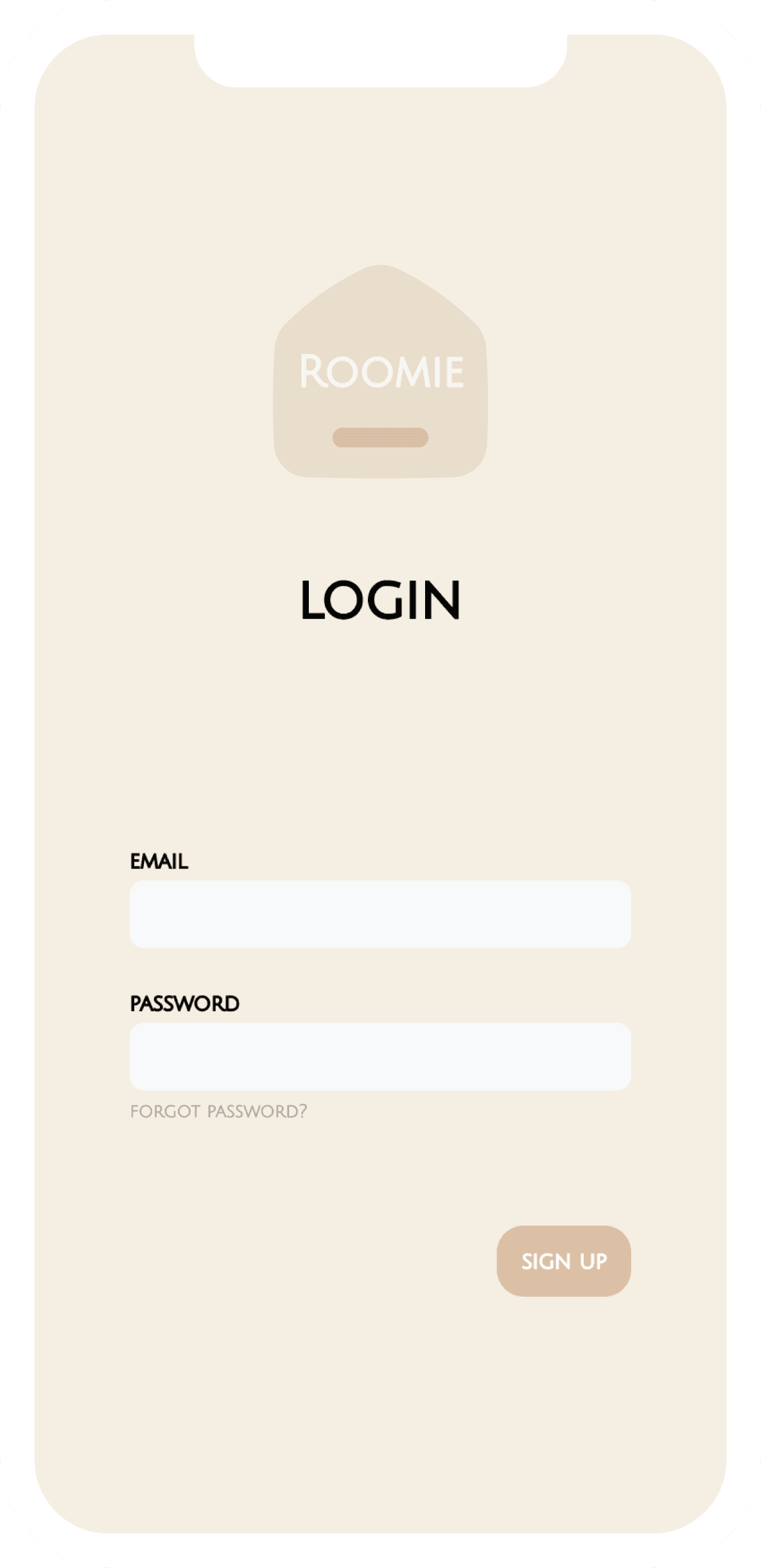
📍 Onboarding Process
→ The onboarding experience was designed to reduce cognitive load by minimizing visual elements and guiding users toward a clear first action.
📍 Onboarding Process
→ The onboarding experience was designed to reduce cognitive load by minimizing visual elements and guiding users toward a clear first action.
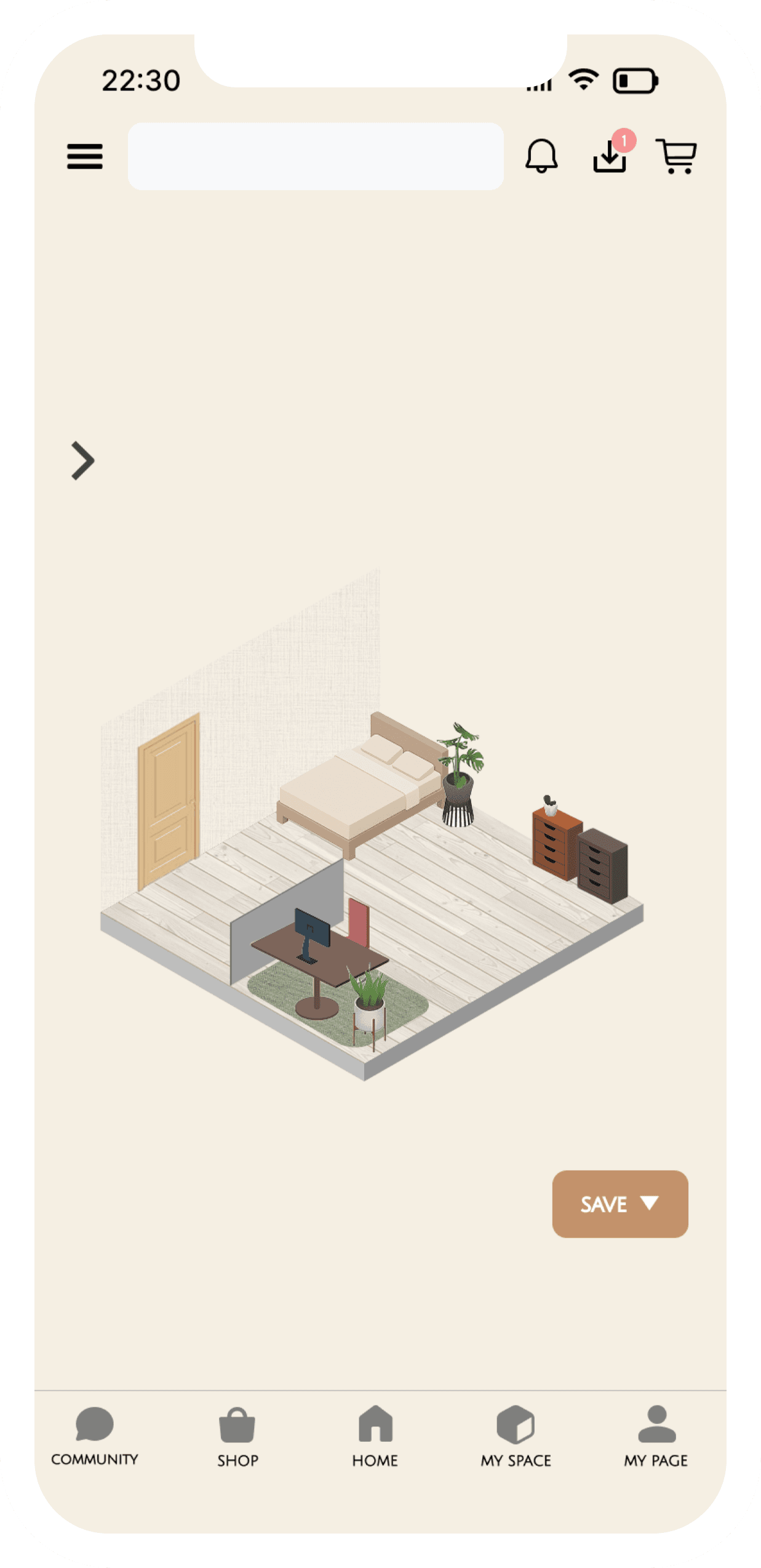
📍 Room Customization
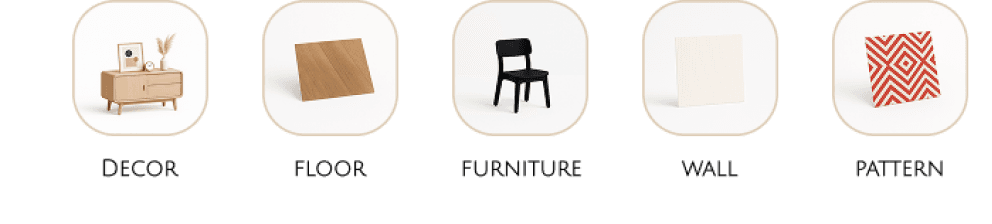
→ The “My Space” feature allows users to visualize and personalize their own room using an isometric layout.
Instead of browsing products in isolation, users can experiment with furniture, materials, and decor in a spatial context, reinforcing a sense of ownership and long-term engagement.
📍 Room Customization
→ The “My Space” feature allows users to visualize and personalize their own room using an isometric layout.
Instead of browsing products in isolation, users can experiment with furniture, materials, and decor in a spatial context, reinforcing a sense of ownership and long-term engagement.
Let’s keep in touch!
kangjisoo222@gmail.com
📍 Onboarding Process
→ The onboarding experience was designed to reduce cognitive load by minimizing visual elements and guiding users toward a clear first action.
📍 Main home screen
→ The home screen was designed to support both inspiration-driven browsing and goal-oriented shopping.
By combining visual-led categories with quick filters, users can effortlessly explore interior products while maintaining control over their selection criteria.
📍 Interior Tips – Preference Input
→ The result screen was designed to immediately reflect the user’s input, reinforcing a sense of personalization.
By combining visual inspiration with concise, actionable tips, the experience bridges inspiration and real-world application.
📍 Room Customization
→ The “My Space” feature allows users to visualize and personalize their own room using an isometric layout.
Instead of browsing products in isolation, users can experiment with furniture, materials, and decor in a spatial context, reinforcing a sense of ownership and long-term engagement.